
Pi-QR-Jellyfin (written in Python with OpenAI Codex)
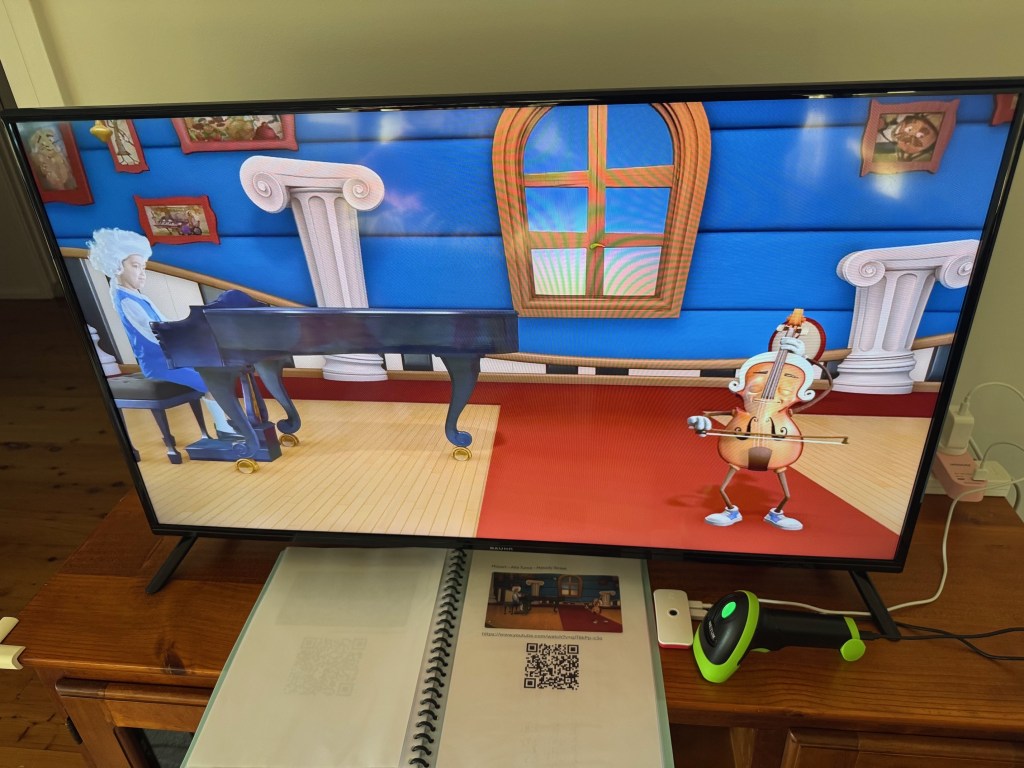
This project uses a Netum QR code scanner on a Pi Zero 2 to read a video URL, sends it to the Pi400 to download to a Jellyfin library using yt-dlp, and begins playing it on a smart TV that has the Jellyfin app. This code is my implementation of an original idea by Guy Dupont to allow young children to control videos without browsing YouTube or using remotes. See his site for a good description of the logic.
As with Guy’s project, I’m not sure if my hardware setup will be suitable for others, but might be useful those interested to see the code. Visit my GitHub page to download.

ScreenMap (exe in zip file, Version 2 written in Python with OpenAI Codex)
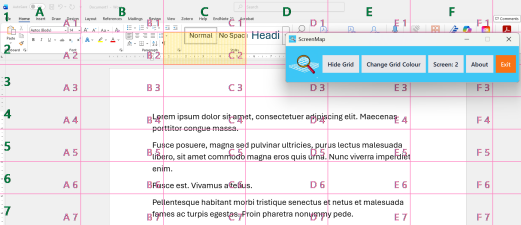
ScreenMap is designed to be downloaded and run on a client’s computer. It will overlay a grid pattern over the user’s screen so that anyone offering support via screensharing through programs such as Zoom or Teams can direct the user to particular parts of the screen – eg to a particular icon or button. The controls allow the grid to be toggled on and off, switched between 2 screens, and to change the grid colour.
ScreenMap is an .exe file for Windows systems that can be downloaded and run from any folder location. It does not install any software on your system.
Download and extract the zip file. Double-click ScreenMap.exe to run the program. Will give security warnings as it is an exe file.
Seeking feedback on whether this works on your computer. Tested on multiple Dell Windows laptops, but I need more test cases.

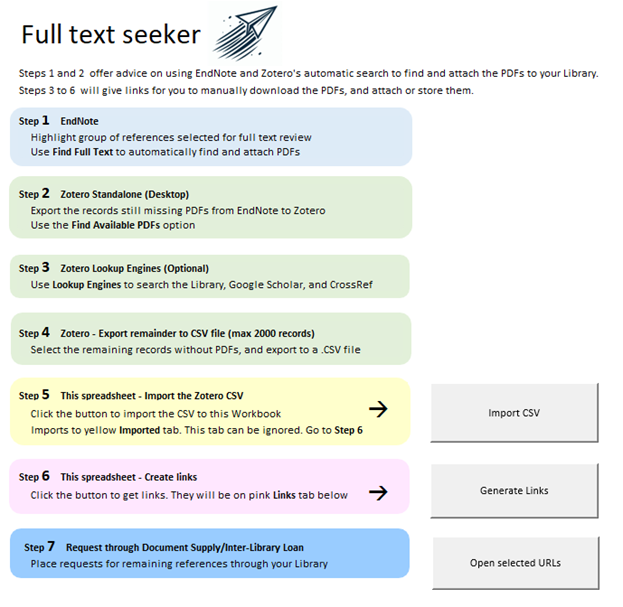
Full Text Seeker is a macro-enabled spreadsheet for Windows Excel. It describes a process for retrieving full text documents, generates clickable search links, and automatically opens a selected range in the default browser. It will not work on Mac Excel.
It takes a user’s Zotero CSV file and pre-populates search strings with title and DOI information for easier retrieval of large numbers of documents when completing a systematic review. Updated to Version 10 which will automatically open a selected range of these URLs in the default browser for easier downloading.
Note that since this file has macros, you will need to right-click the file in your Downloads, select Properties, and tick the Unblock option in Security before opening it, to allow the macros to run.
Download from Figshare site: https://figshare.com/articles/online_resource/Full_text_seeker/25273096
Divider image “Ornamental Divider Pack” from Freepik.com

